
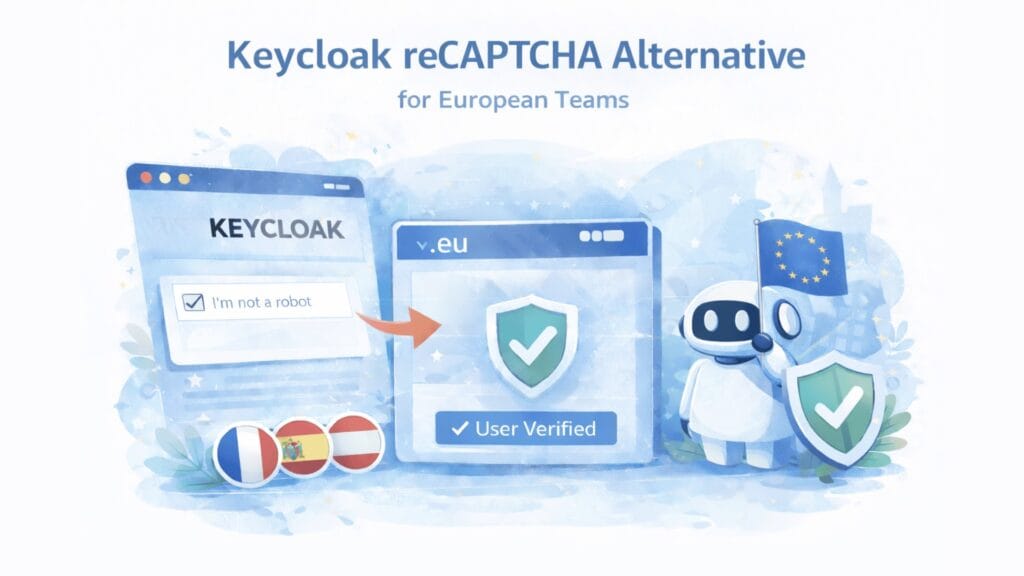
Keycloak ships with reCAPTCHA built into its registration flow. For European organisations, that default creates cookies, US data transfers, and a privacy documentation burden on the three flows that matter most: login, registration and password reset. This guide explains how to replace reCAPTCHA in Keycloak with a cookieless, EU-hosted alternative and walks through the exact configuration for each authentication flow.
Estimated reading time: 14 minutes
At a Glance
The core problem
Keycloak’s built-in reCAPTCHA sets the _grecaptcha cookie, routes verification through Google infrastructure, and creates ePrivacy consent questions on your most sensitive authentication flows.
Why auth flows are different
Login, registration, and password reset are pages users must complete before they can access anything. Third-party dependencies here carry more compliance and security weight than on a standard contact form.
The practical fix
A proof-of-work CAPTCHA plugin installed as a JAR: no cookies, no US transfers, no cookie-consent layer for the CAPTCHA itself, with a much simpler third-party review profile, and configurable per Keycloak flow in under an hour.
What this guide covers
- Why reCAPTCHA creates specific problems in Keycloak
- Keycloak CAPTCHA alternatives compared
- The three flows to protect
- Which Keycloak version are you running?
- Installation: adding the CAPTCHA.eu plugin to Keycloak
- Configure the browser login flow
- Configure the registration flow
- Configure the password reset flow
- Deployment notes: Docker, Kubernetes, and Red Hat SSO
- How to verify the migration worked
- GDPR checklist after switching
- Frequently Asked Questions
Who this guide is for
This article is written for IAM admins, security teams, platform engineers and public-sector or regulated organisations that run Keycloak in production and need a practical replacement path for reCAPTCHA across login, registration, and password reset flows.
Why reCAPTCHA creates specific problems in Keycloak
Most reCAPTCHA discussions focus on contact forms. Keycloak is a different situation entirely. It is an identity and access management system: the layer that controls who can log in, create an account, or recover a password across your applications. That means reCAPTCHA here sits on authentication flows, not marketing pages.
For European organisations running Keycloak in production, this creates three issues that are more serious than on a typical website form.
Enterprise and public-sector Keycloak deployments attract the strictest reviews. DPOs, procurement committees, and security architects ask harder questions about third-party scripts on authentication pages than on any other part of a website. A CAPTCHA that introduces no cookies, no US data routing, and a much simpler third-party review profile is structurally easier to defend, and faster to approve.
The _grecaptcha cookie runs on authentication pages. Google confirmed this cookie persists after the April 2026 processor model change. On a login page that employees or customers must complete before they can access any service, they cannot meaningfully opt out of a cookie that protects the very flow they need to use. This is harder to resolve than the same cookie on a contact form.
Verification routes through Google infrastructure. For organisations in regulated sectors such as healthcare, finance, or the public sector, processing personal data via US infrastructure requires active transfer documentation under GDPR. On an authentication system that handles credentials, this adds governance overhead that security and compliance teams would rather avoid entirely.
Authentication pages carry a higher security standard
Unlike a contact form, authentication flows handle credentials and session tokens. When a third-party CAPTCHA service runs on the same page, it shares the browser context with those flows. For regulated-sector Keycloak deployments, this goes beyond the standard cookie-consent question and into security architecture review territory.
Keycloak CAPTCHA alternatives compared
Several CAPTCHA providers offer Keycloak plugins, but the market is much more constrained here than for WordPress or TYPO3. Most community extensions break on Keycloak major version upgrades and receive limited maintenance. The Keycloak CAPTCHA ecosystem is much smaller than the WordPress or TYPO3 ecosystem. In practice, most teams evaluating a modern Keycloak CAPTCHA layer look at CAPTCHA.eu, Friendly Captcha, legacy reCAPTCHA, and a small number of community-maintained options such as ALTCHA or hCaptcha integrations.
SOLUTION | COOKIES | DATA LOCATION | FLOWS COVERED | PLUGIN TYPE | VERSION REQUIREMENT |
|---|---|---|---|---|---|
CAPTCHA.eu | No | Austria (EU) | Login, Registration, Password Reset | Official JAR | Keycloak 22.0.3+ |
Friendly Captcha | No | Dedicated EU-only endpoint from Advanced plan. Lower tiers may use global infrastructure. | Login, Registration, Password Reset | Official plugin | Keycloak 26.1.0+ and Java 17+ required |
hCaptcha | Yes | US-based | Registration only | Community JAR | Limited maintenance |
ALTCHA | No | Your own infrastructure | Registration only | Community JAR | Self-hosted backend required |
reCAPTCHA v2 | Yes (_grecaptcha) | US-based | Registration (built-in only) | Built-in | Login and Reset require custom extensions |
The three flows to protect
Keycloak organises authentication as configurable flows, which are independent sequences that you modify separately in the Admin Console. Understanding what each flow does helps you decide which ones to protect first and why.
The browser (login) flow is the standard login page that users see when they access a Keycloak-protected application. It carries the highest traffic volume and is the primary target for credential stuffing and brute-force attacks: automated attempts to access accounts using stolen or guessed credentials at scale.
The registration flow covers account creation. Without CAPTCHA protection here, bots create fake accounts in bulk, which degrades service quality, skews user analytics, and enables abuse of trial periods, referral programs, or free tiers.
The reset credentials flow handles password recovery. Attackers target it to trigger recovery emails at scale, overload mail infrastructure, enumerate which usernames exist in the system, or probe for account takeover opportunities. It is the least-discussed of the three and often the last one teams think to protect. Leaving it open while protecting the other two creates a gap.
One important limitation to know upfront: Keycloak’s built-in reCAPTCHA only protects the registration flow natively. To protect login and password reset with reCAPTCHA, you need custom extensions. CAPTCHA.eu covers all three with the same JAR and follows the same configuration pattern for each, which is one reason teams find the migration straightforward.
Which Keycloak version are you running?
Before you install anything, check your Keycloak version. It affects which alternatives are available to you.
If you run Keycloak 26.1.0 or later with Java 17 or later, both CAPTCHA.eu and Friendly Captcha are available. Both offer officially maintained plugins covering all three flows. CAPTCHA.eu also supports Keycloak 22.0.3 and later, which makes it a fit for teams running older installations.
If you run an older Keycloak version (Keycloak 24.x, 25.x, or anything below 26.1.0), Friendly Captcha’s Keycloak plugin is not compatible. Their plugin explicitly requires Keycloak 26.1.0+ and Java 17+. CAPTCHA.eu supports a broader version range.
If you run Red Hat Build of Keycloak (RHBK) or the older Red Hat SSO product, the version mapping differs from upstream Keycloak. RHBK 24 corresponds roughly to upstream Keycloak 24. Verify against the plugin’s documented compatibility before rolling out to production.
How to check your Keycloak version
Log in to the Keycloak Admin Console. The version number appears in the bottom-left corner of the admin UI. Alternatively, check the server startup logs or run bin/kc.sh --version from your Keycloak installation directory.
Installation: adding the CAPTCHA.eu plugin to Keycloak
The installation is a one-time step that applies to all three flows. Once the JAR is in place, you configure each flow separately in the Admin Console.
Configure the browser login flow
<#if captchaEnabled ??>
  <script>
    var CaptchaDOMReady = function (callback) {
      document.readyState === "interactive" || document.readyState === "complete"
        ? callback()
        : document.addEventListener("DOMContentLoaded", callback);
    };
    CaptchaDOMReady(function() {
      KROT.setup("${captchaEUPublicKey}");
      var f = document.getElementById("kc-form-login");
      KROT.interceptForm(f);
    });
  </script>
</#if>
If you prefer not to edit your theme manually, use the pre-built theme included in the CAPTCHA.eu extension source at /theme/captcha.
Configure the registration flow
<#if captchaEnabled ??>
  <script>
    var CaptchaDOMReady = function (callback) {
      document.readyState === "interactive" || document.readyState === "complete"
        ? callback()
        : document.addEventListener("DOMContentLoaded", callback);
    };
    CaptchaDOMReady(function() {
      KROT.setup("${captchaEUPublicKey}");
      var f = document.getElementById("kc-register-form");
      KROT.interceptForm(f);
    });
  </script>
</#if>
Configure the password reset flow
<#if captchaEnabled ??>
  <script>
    var CaptchaDOMReady = function (callback) {
      document.readyState === "interactive" || document.readyState === "complete"
        ? callback()
        : document.addEventListener("DOMContentLoaded", callback);
    };
    CaptchaDOMReady(function() {
      KROT.setup("${captchaEUPublicKey}");
      var f = document.getElementById("kc-reset-password-form");
      KROT.interceptForm(f);
    });
  </script>
</#if>
Protect Keycloak login, registration and password reset
Austria-hosted, no cookies, officially maintained plugin covering all three authentication flows. 100 free verifications to start.
Deployment notes: Docker, Kubernetes, and Red Hat SSO
How you install the JAR depends on how you run Keycloak. The Admin Console configuration steps are identical in all cases. Only the file placement differs.
Standard installation (bare-metal or VM): Copy keycloak-captcha.jar directly into the providers/ directory of your Keycloak installation and restart. Keycloak picks up the new provider automatically on startup.
Docker: Add the JAR at build time using a COPY instruction in your Dockerfile, or mount it at runtime via a volume. The providers directory inside the container is typically at /opt/keycloak/providers/. A minimal Dockerfile approach looks like this:
FROM quay.io/keycloak/keycloak:latest
COPY keycloak-captcha.jar /opt/keycloak/providers/
RUN /opt/keycloak/bin/kc.sh build
Kubernetes: Mount the JAR using an initContainer that copies it into a shared volume, or use a ConfigMap if your cluster supports binary data. The most reliable production approach is building a custom Keycloak image with the JAR baked in, then referencing it in your Deployment manifest. This avoids volume mounting complexity and keeps your deployment reproducible.
Red Hat Build of Keycloak (RHBK) and Red Hat SSO: RHBK follows the same providers directory approach as upstream Keycloak, but the version numbers differ. RHBK 24 corresponds roughly to upstream Keycloak 24. If you run Red Hat SSO 7.x, the older product based on a different Keycloak version, verify plugin compatibility carefully before deploying to production. The CAPTCHA.eu plugin page documents current compatibility; when in doubt, test on a staging realm first.
Test on a staging realm before going to production
Keycloak lets you create multiple realms in the same installation. Before rolling out CAPTCHA.eu on your production realm, configure it on a dedicated test realm and run login, registration, and password reset end to end. This takes about fifteen minutes and catches any theme or flow configuration issues before they affect real users.
How to verify the migration worked
Once all three flows are configured, a quick verification pass confirms everything is working before you treat the migration as complete.
In the CAPTCHA.eu Dashboard, open your domain and check the verification log. After submitting each protected flow (login, registration, password reset), you should see corresponding verification events appear in the log within seconds. If a flow is missing from the log, the CAPTCHA.eu step is not active for that flow. Return to the Admin Console and check that the flow is correctly bound.
On the frontend, submit a test entry for each flow on both desktop and mobile. The verification should complete silently in the background with no visible challenge. If you see an error or the form refuses to submit, check that the Public Key in the plugin settings matches the one in your CAPTCHA.eu Dashboard, and that your FTL snippet references the correct form element ID for each flow.
For Kubernetes deployments, also verify that the JAR is correctly loaded after a pod restart by checking Keycloak startup logs for the provider registration confirmation. If the provider does not appear in the logs, the JAR is not being picked up. Recheck the volume mount or image build.
GDPR checklist after switching
The technical migration covers the CAPTCHA layer. These steps complete the compliance picture.
Update your privacy notice. Remove the reCAPTCHA entry and replace it with a short CAPTCHA.eu entry that names Austria as the processing location and bot protection on authentication flows as the purpose.
Review your consent management setup. If your Keycloak deployment included any cookie disclosure for reCAPTCHA, remove or revise that entry. For CAPTCHA.eu, no cookie-based consent mechanism is needed for the CAPTCHA layer itself. Session cookies and OIDC tokens are separate and unaffected.
Update your processing records. Replace Google as the CAPTCHA-related processor in your Article 30 records. A standard DPA is available from CAPTCHA.eu for this purpose.
Confirm with your security and DPO teams. For enterprise and regulated-sector deployments, confirm the authentication flow changes with your security architect and DPO before go-live. This is standard practice for any authentication system change.
Why this takes less time than teams expect
The same pattern repeats three times: duplicate flow, replace one execution, configure keys, bind, add FTL snippet. After the login flow, registration and password reset each take about five minutes. Total migration time for all three flows, including testing, is typically under ninety minutes, even for teams new to Keycloak flow configuration.
Frequently Asked Questions
Does CAPTCHA.eu work with my Keycloak version?
The CAPTCHA.eu plugin works via Keycloak’s Authentication SPI and supports a broad version range. Check the plugin page for the current compatibility matrix. For reference: Friendly Captcha’s Keycloak plugin requires Keycloak 26.1.0 or later and Java 17 or later. If you run an older version, CAPTCHA.eu maintains options available to you.
Do I still need a cookie consent banner after switching?
Not for the CAPTCHA layer itself. CAPTCHA.eu sets no cookies for the CAPTCHA function, which removes the specific consent trigger that reCAPTCHA introduces on authentication pages. Session cookies and OIDC tokens are separate from this and unaffected by the switch.
Can I protect only some flows and leave others unchanged?
Yes. Each Keycloak flow is configured independently, so you can protect registration only, or login and registration, or all three. Most teams start with registration (the highest volume of automated abuse) and then add login and password reset. Leaving password reset unprotected while protecting the other two creates a gap, so plan to cover all three flows.
What happens if I have a custom Keycloak theme?
Add the frontend snippets to your existing theme templates: login.ftl, register.ftl, and login-reset-password.ftl. Each snippet goes after the closing tag of its respective template. If you prefer a fresh start, the CAPTCHA.eu extension includes a pre-built theme at /theme/captcha that you can use as a base.
How is CAPTCHA.eu different from Friendly Captcha for Keycloak?
Both provide official Keycloak plugins with proof-of-work verification and no cookies. The practical differences: CAPTCHA.eu supports a broader Keycloak version range: Friendly Captcha requires Keycloak 26.1.0+ and Java 17+, which rules it out for teams on older installations. CAPTCHA.eu also includes Austria-hosted processing on every commercial plan by default, while Friendly Captcha’s dedicated EU-only endpoint requires the Advanced plan at €200/month or above.
Should I also enable Keycloak’s built-in brute force protection?
Yes, and the two mechanisms complement each other well. CAPTCHA.eu stops automated bots from reaching the point of submitting credentials at all. Keycloak’s built-in brute force detection then handles the cases that slip through by temporarily locking accounts after repeated failures. Running both gives you defense in depth. See our guide on preventing brute force attacks for the broader strategy.
Is CAPTCHA.eu suitable for enterprise SSO deployments?
Yes. CAPTCHA.eu is used by organisations including ÖBB, OeNB, and DGUV: environments where authentication security and procurement documentation both receive formal review. Austria-hosted processing and TÜV Austria WCAG 2.2 AA certification provide the documented evidence that enterprise and public-sector security reviews typically require.
Related reading
TYPO3 reCAPTCHA Alternative: How to Replace reCAPTCHA on European Websites
reCAPTCHA on TYPO3 means cookies, US data transfers and a growing compliance burden that most DACH teams no longer want…
WordPress reCAPTCHA Alternative: How to Replace reCAPTCHA on European Websites
Google reCAPTCHA works on WordPress. But when you look at what it means for GDPR, cookies, and US data transfers,…
How to Prevent Credential Stuffing Attacks on Your Website
Credential stuffing attacks use real passwords stolen from prior breaches, not guesswork. That makes them faster, harder to detect, and…
How to Prevent Brute Force Attacks on Your Website
Brute force attacks are one of the most persistent threats to website security. In 2026, they combine stolen credential lists,…
Primary sources
CAPTCHA.eu Keycloak plugin page: official installation guide and FTL snippets for all three flows
Friendly Captcha Keycloak integration page: confirms Keycloak 26.1.0+ and Java 17+ requirements
keycloak-altcha (GitHub): community ALTCHA extension for Keycloak, registration flow only
Keycloak GitHub issue #41057: community discussion on native non-Google CAPTCHA support in Keycloak
Google reCAPTCHA FAQ (April 2026): confirms the _grecaptcha cookie remains after the processor model change
CAPTCHA.eu WCAG 2.2 AA certification: independently certified by TÜV Austria
Transparency: This article is written by the CAPTCHA.eu team and includes our own product. Competitor options are characterised based on current public documentation. If you find an inaccuracy, contact us and we will correct it.
Try the European alternative built for privacy-first deployments
If your team needs low-friction bot protection with Austrian hosting, no cookies at the CAPTCHA layer, EU-based processing, transparent pricing, and TÜV-certified accessibility, test CAPTCHA.eu on a real flow before you decide. Start with your login, sign-up, or contact form. 100 free requests, no credit card required.


 English
  German
  French
  Spanish
  Dutch
Dutch  Italian