
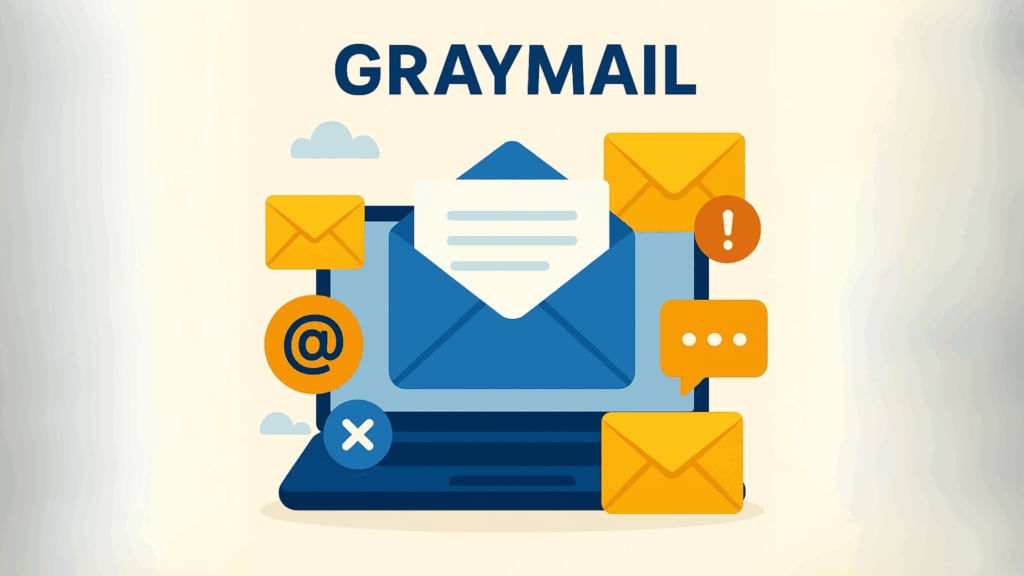
Are you drowning in emails that aren’t exactly spam, but still clog your inbox? You’re dealing with “graymail” – and you’re not alone. The average person receives over 120 emails daily. Among these messages lurks a category that’s neither urgent communication nor obvious spam: graymail.
Table of contents
What Is Graymail?
Graymail is email you technically signed up for but no longer want or read. Unlike spam (which you never asked for), graymail exists in a “gray area” – messages that are legitimate but often unwanted.
These typically include marketing newsletters you once wanted, social media notifications, promotional emails from past purchases, updates from rarely-used online services, and communications from organizations you’ve lost interest in.
Types of Graymail
Understanding the different types of graymail can help you identify and manage unwanted messages more effectively:
Marketing Newsletters: Perhaps the most common form of graymail. These are emails from businesses whose mailing lists you joined, often during a purchase or when downloading content. Initially useful, they become graymail when they no longer match your interests or arrive too frequently.
Notification Overload: Social media platforms, forums, and online communities send updates about activities relevant to your account. What starts as helpful notifications can quickly become overwhelming when every like, comment, or group activity generates an email.
Loyalty Program Communications: After signing up for a store’s rewards program, you might receive regular updates about points, special offers, and program changes. These become graymail when they don’t align with your current shopping habits.
Abandoned Service Updates: Online services you signed up for but rarely use still send regular feature updates, usage reminders, and re-engagement attempts. These persist long after your interest has waned.
Workplace Broadcasts: In professional settings, company-wide or department-wide announcements that don’t directly involve you contribute to inbox clutter. These might include updates from departments you don’t work with or event invitations for locations you don’t operate in.
Follow-up Sequences: After a single interaction with a business, you might be enrolled in an automated email sequence designed to nurture leads. These become graymail when they continue despite your lack of engagement.
Subscription Confirmations and Receipts: Necessary at the time of purchase, these transactional emails become graymail when they’re not cleaned out of your inbox regularly.
The challenge is that any of these categories could contain valuable information mixed with irrelevant content. This ambiguity makes managing graymail more complex than dealing with obvious spam.
How Graymail Affects You
Graymail silently drains your productivity. The average professional spends nearly 30% of their workday managing email, much of it sorting through low-priority messages. When your inbox is flooded with graymail, truly important messages get buried, leading to email fatigue – a state where you become desensitized to all incoming messages.
Beyond wasted time, graymail consumes valuable storage space and creates security vulnerabilities. Being accustomed to quickly scanning promotional emails makes you more susceptible to phishing attempts that mimic familiar graymail formats.
For businesses sending emails, graymail damages sender reputation when recipients ignore messages. This leads to lower deliverability rates, wasted marketing resources, and reduced communication effectiveness.
The Origin of Graymail
The term “graymail” emerged in the mid-2000s as email filtering became more sophisticated. As spam filters improved at catching obvious junk mail, there grew a need to categorize these less clear-cut messages.
A mail service provider popularized the term in 2011 with features specifically designed to handle these not-quite-spam messages. The name cleverly references the “gray area” these emails occupy between wanted communication and outright spam.
How CAPTCHA Prevents Graymail
One of the best defenses against graymail is preventing it from being created in the first place. CAPTCHA systems ensure that email list sign-ups come from real humans with genuine interest, not automated bots.
When websites implement CAPTCHA challenges at registration points, they verify human intent and block automated signups. This simple verification step confirms a conscious decision to receive communications, improving list quality by ensuring subscribers actually want the content they’re signing up for.
Modern CAPTCHA solutions like captcha.eu provide protection against automated abuse while maintaining a smooth user experience.
Managing Graymail Effectively
For Individual Users
Take control of your inbox by using email filters to automatically sort incoming messages. Most email services offer tools to categorize or folder messages based on sender or content. Consider using a secondary email address specifically for sign-ups and promotions to keep your primary inbox clean.
Rather than checking email constantly, schedule specific times for processing your inbox. Deal with each message decisively – respond, archive, or delete – to prevent backlog.
For Businesses and Organizations
If you send marketing emails, prevent your messages from becoming graymail by implementing double opt-in procedures. Always confirm subscription requests with a verification email before adding anyone to your list.
Regularly remove inactive subscribers who haven’t engaged with your emails in several months. This improves your sender reputation and ensures you’re only communicating with interested readers.
Set clear expectations about what subscribers will receive and how often. When people know what to expect, they’re less likely to ignore your messages. Make unsubscribing simple with a prominent, one-click option – it’s better to lose a subscriber than damage your sender reputation.
Protecting Your Website
Website owners have a responsibility to ensure their forms don’t contribute to the graymail problem. Implement CAPTCHA protection on all forms to prevent automated submissions. Be transparent about email frequency when collecting addresses, and only request email information when truly necessary for your business relationship.
Conclusion
Graymail represents a significant challenge in our digital communication landscape. While not malicious like spam, its cumulative effect disrupts productivity and digital wellbeing.
By understanding it and implementing smart management strategies, both individuals and organizations can enjoy cleaner inboxes and more effective communication.
For businesses seeking to protect their forms from automated abuse and ensure their communications reach genuinely interested recipients, captcha.eu offers a user-friendly CAPTCHA solution that helps maintain email list quality and prevents your legitimate messages from becoming tomorrow’s graymail.
100 free requests
You have the opportunity to test and try our product with 100 free requests.
If you have any questions
Contact us
Our support team is available to assist you.


 English
  German
  French
  Spanish
  Dutch
Dutch  Italian