
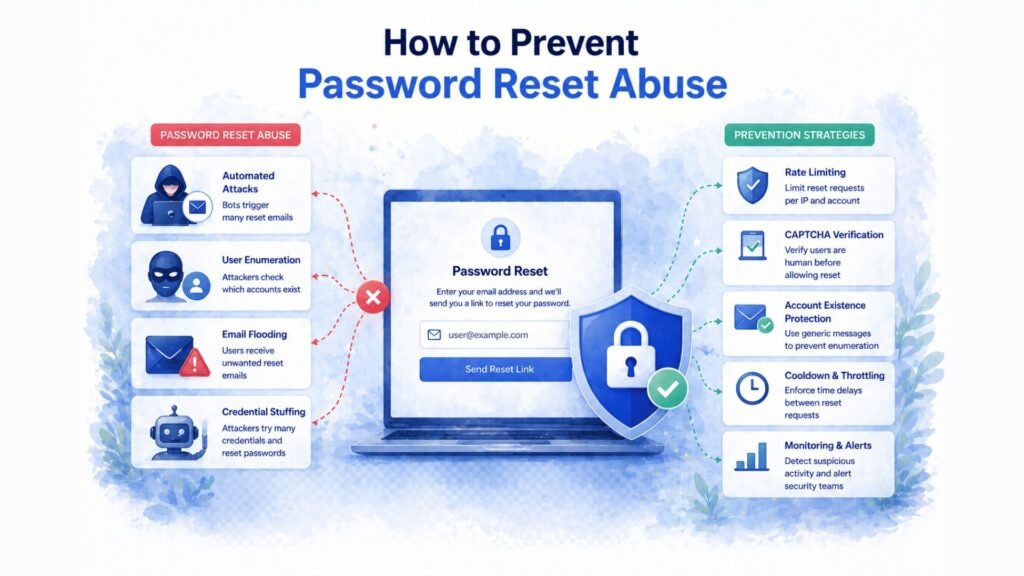
Most teams protect their login page carefully and leave the password reset flow almost open. Attackers know this. They use the reset flow to enumerate valid accounts, flood inboxes with automated emails, steal tokens through weak link generation, and bypass the login protections you spent time hardening. This guide explains every reset abuse pattern and the practical steps that stop each one.
Estimated reading time: 13 minutes
At a Glance
Why reset flows get abused
The reset flow bypasses your login page entirely. If it is weaker than your login, attackers use it as the easier path to account access
Four abuse patterns to know
Account enumeration, reset flooding, token theft, and weak recovery design. Each needs a different defence, and none of them are solved by login protection alone
The fastest single fix
Return the same response whether an account exists or not. This single change eliminates account enumeration at zero engineering cost
Why password reset flows get targeted
The password reset flow is the backdoor to your authentication system. Its job is to let users back in without their password, which means it must bypass the normal credential check by design. That makes it structurally weaker than login, and attackers exploit that gap directly.
Three things make reset flows attractive targets. First, most teams add strong bot protection to login but neglect the reset endpoint entirely. Second, reset flows reveal useful information to attackers: whether an account exists, which email addresses are registered, and how quickly reset tokens expire. Third, reset forms are public-facing and easy to automate: a bot can trigger thousands of reset requests per hour against a form with no rate limiting or CAPTCHA.
The result is that even teams who have hardened login, added MFA, and implemented rate limiting often leave password reset as an unprotected side entrance. OWASP’s Forgot Password Cheat Sheet lists reset flow vulnerabilities among the most commonly exploited authentication weaknesses in production applications. The weakest point in your authentication system is the only one that matters to a determined attacker, and if that point is your reset form, all the protection on your login page counts for nothing.
The four abuse patterns of password reset abuse
Password reset abuse is not a single attack type. It is a category of four distinct patterns, each with different goals and different defences required.
ABUSE PATTERN | WHAT ATTACKERS DO | WHAT THEY GAIN |
|---|---|---|
Account enumeration | Submit reset requests for many email addresses and observe whether responses differ for existing vs non-existing accounts | A validated list of real account email addresses for use in phishing, credential stuffing, or targeted attacks |
Reset flooding | Trigger large numbers of reset emails to one or many accounts automatically | Inbox overload that buries phishing emails, harassment of users, or degradation of mail infrastructure reputation |
Token theft and brute force | Intercept reset links through referrer headers, archived URLs, or browser history; or brute-force short/predictable tokens | Valid reset token that allows them to set a new password and take over the account without knowing the original |
Weak recovery design | Exploit insecure recovery methods: reusable tokens, non-expiring links, security questions with guessable answers, or SIM swapping to intercept SMS codes | Account access through the recovery path without needing to break the login flow at all |
These four patterns often appear together in a single attack campaign. An attacker may start with enumeration to identify real accounts, then use reset flooding to create confusion while executing a token theft or SIM swap against a specific high-value target. Defending against all four requires layered controls, not a single fix.
Seven defences that work
Protect your password reset flow without cookies or consent overhead
CAPTCHA.eu stops reset flooding and enumeration at scale with invisible proof-of-work verification. No cookies, Austria-hosted, WCAG 2.2 AA certified by TÜV Austria.
The minimum viable reset security posture
If you implement only three things: consistent responses (Defence 1), CAPTCHA on the reset form (Defence 2), and single-use short-lived tokens (Defence 4), you close the most commonly exploited reset vulnerabilities. Add the others progressively based on the sensitivity of accounts you protect.
Where CAPTCHA fits in password reset protection
CAPTCHA on the password reset form serves a specific and limited role: it stops automated abuse of the reset endpoint. It prevents bots from testing thousands of email addresses for valid accounts, and it prevents automated reset flooding against specific users. It does not fix weak token generation, does not prevent token leakage through referrer headers, and does not replace consistent response design.
This positioning matters because some teams either over-rely on CAPTCHA (using it as the only control) or under-use it (skipping it because “users should not need to solve a puzzle to reset their password”). Both miss the point. Invisible proof-of-work CAPTCHA adds no visible friction for legitimate users who submit one reset request. It only raises the cost for bots submitting thousands. That is precisely where CAPTCHA belongs in the defence stack.
For the WordPress reset flow specifically, our WordPress CAPTCHA guide covers integration at the wp-login.php level. For Keycloak, the reset credentials flow requires a separate FTL snippet from the login and registration flows: our Keycloak integration guide covers all three flows with specific configuration steps.
Password reset abuse and GDPR obligations
A successful password reset attack that results in unauthorized account access constitutes a personal data breach under GDPR. If the compromised account contained personal data (which almost all user accounts do), you face the assessment and notification obligations of Article 33.
There is also a specific GDPR angle on the reset form itself. Traditional CAPTCHA services that set cookies on recovery pages create an ePrivacy consent requirement at an awkward moment: a user who has lost access to their account must now navigate a cookie consent banner before recovering it. A cookieless proof-of-work CAPTCHA removes this problem structurally. No consent mechanism is needed for the CAPTCHA layer itself, which is a meaningful compliance simplification for DPOs managing the documentation burden of authentication flows.
The Article 32 angle
GDPR Article 32 requires appropriate technical security measures. For any website that stores personal data behind user accounts, not protecting the reset flow is increasingly difficult to defend in a supervisory authority review. Reset flooding, enumeration, and token theft are well-documented attack patterns with well-known countermeasures. Implementing them is part of a reasonable Article 32 posture.
Implementation checklist
Use this checklist to audit your current reset flow. Items are ordered by impact per implementation effort: the top items deliver the most protection for the least work.
- Consistent responses: Verify that your reset form returns the same message, status code, and response time for existing and non-existing accounts.
- CAPTCHA on the reset form: Add invisible proof-of-work CAPTCHA to the reset request form. For WordPress: see the WordPress guide. For Keycloak: see the Keycloak guide.
- Rate limiting per account and per IP: Apply limits at both levels. Reject silently after the threshold: do not reveal the limit exists.
- Cryptographically strong tokens: Confirm your token generator uses a CSPRNG with at least 20 bytes of entropy. Reject sequential IDs, timestamps, and hash-of-email patterns.
- Token expiry: Tokens expire within one hour of issuance. Tokens expire immediately on use. New reset requests invalidate all prior tokens for that account.
- Referrer-Policy header: Set
Referrer-Policy: no-referreron reset confirmation pages. Review all external resources loaded on these pages. - No security questions: Replace with email-based or TOTP-based verification. Audit any legacy security question flows still active in your application.
- Reset request notifications: Send users an email when a reset is triggered, not only when it completes.
- Monitoring and alerting: Set alerts for reset volume spikes per IP and per account. Correlate with login failure patterns.
- HTTPS everywhere on reset flows: Ensure all reset pages and token submission endpoints use HTTPS with current TLS. Reject reset tokens submitted over HTTP.
Frequently Asked Questions
What is password reset abuse?
Password reset abuse is the misuse of an account recovery flow to gain unauthorized access, enumerate valid accounts, flood inboxes, or steal recovery tokens. It is distinct from password reset poisoning, which is a specific technical vulnerability where an attacker manipulates how the reset link is generated. Reset abuse is the broader category that includes four distinct attack patterns: enumeration, flooding, token theft, and weak recovery design.
What is the difference between password reset abuse and password reset poisoning?
Password reset poisoning is one specific technique within the broader category of reset abuse. Poisoning occurs when an attacker manipulates the HTTP Host header to redirect a reset link to an attacker-controlled domain. Reset abuse covers a wider set of patterns: account enumeration through response differences, reset flooding to overwhelm inboxes, token brute-forcing, and exploiting weak recovery methods like security questions or SMS interception.
Does CAPTCHA stop password reset abuse?
CAPTCHA stops the automated abuse patterns: reset flooding and large-scale account enumeration. It does not fix weak token generation, does not prevent token leakage through referrer headers, and does not replace consistent response design. Use CAPTCHA as one layer in a broader reset security stack, not as the only control.
How do attackers enumerate accounts through the reset form?
If your reset form returns different responses for existing and non-existing accounts (different message text, different HTTP status codes, or measurably different response times), an attacker can submit reset requests for a list of email addresses and observe which ones return the “account found” response. This reveals your registered user base without requiring any password to be cracked. The fix is to always return the same response regardless of whether the account exists.
How long should a reset token be valid?
One hour is a reasonable maximum for most applications. For higher-security contexts (financial accounts, healthcare, administrative access), 15 to 30 minutes is more appropriate. The token should expire immediately after use, and all prior tokens for an account should be invalidated when a new reset is requested. Tokens that remain valid after use are a persistent backdoor.
Is the password reset flow a GDPR concern?
Yes, in two ways. First, a successful attack that leads to unauthorized account access is a personal data breach under GDPR, triggering Article 33 assessment and potential notification obligations. Second, cookie-based CAPTCHA on recovery pages creates an ePrivacy consent question at a difficult moment for users. A cookieless CAPTCHA removes that consent requirement from the recovery flow entirely.
Related reading
What Is Invisible CAPTCHA? How It Works and Why It
Invisible CAPTCHA aims to verify users in the background with little or no visible interaction: no puzzles, no checkboxes, no…
How to Prevent Credential Stuffing Attacks on Your Website
Credential stuffing attacks use real passwords stolen from prior breaches, not guesswork. That makes them faster, harder to detect, and…
How to Prevent Brute Force Attacks on Your Website
Brute force attacks are one of the most persistent threats to website security. In 2026, they combine stolen credential lists,…
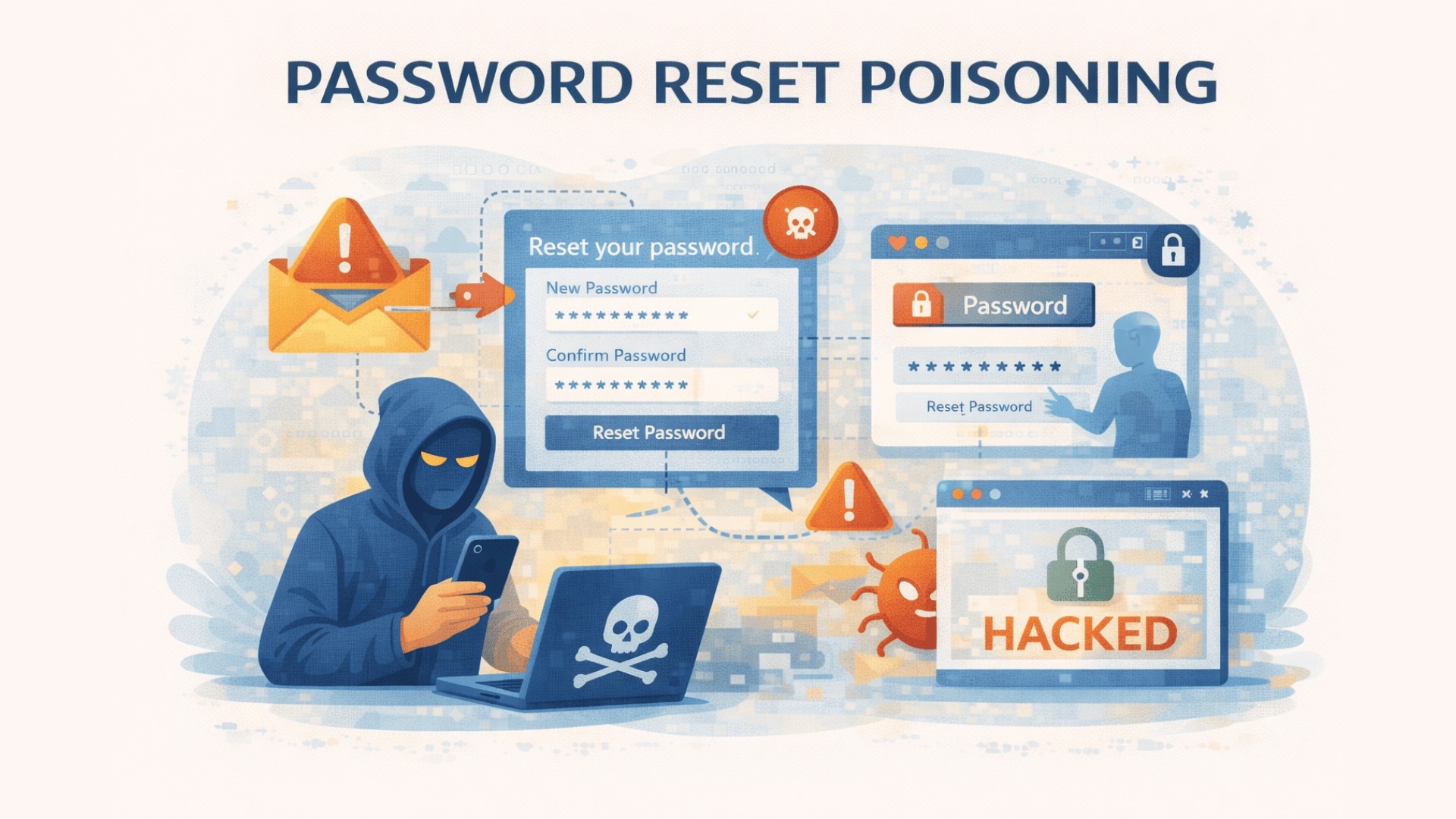
What Is Password Reset Poisoning?
Password reset poisoning is a hidden account recovery risk that can expose reset tokens and lead to account takeover. Learn…
Primary sources
OWASP Forgot Password Cheat Sheet: consistent responses, secure token design, and rate limiting recommendations
OWASP Authentication Cheat Sheet: reauthentication and secure authentication practices
PortSwigger Web Security Academy: Password Reset Poisoning: technical detail on Host header exploitation in reset flows
NIST SP 800-63B: guidance on memorized secret authenticators and reset secret entropy requirements
OWASP Testing Guide: Weak Password Reset Functionalities
CAPTCHA.eu: What Is Password Reset Poisoning?: definition and distinction between poisoning and broader reset abuse
CAPTCHA.eu: How to Prevent Account Takeover Attacks: broader auth-security context including reset flows

 English
  German
  French
  Spanish
  Dutch
Dutch  Italian