
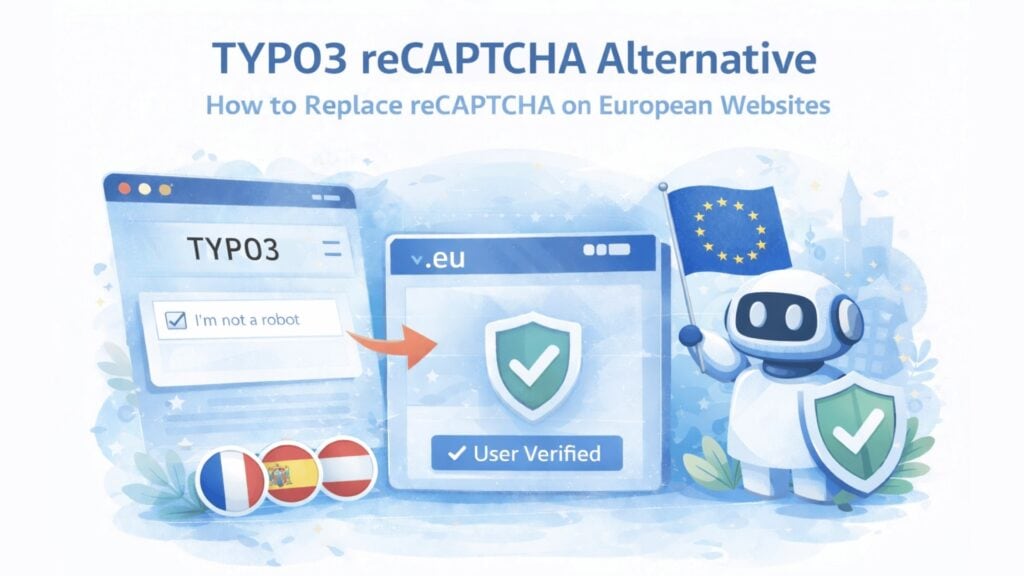
reCAPTCHA on TYPO3 means cookies, US data transfers and a growing compliance burden that most DACH teams no longer want to carry. This guide explains what changed in 2026, which GDPR-compliant alternatives work with EXT:form and PowerMail and how to replace reCAPTCHA without touching every form individually.
Estimated reading time: 11 minutes
At a Glance
The core problem
reCAPTCHA sets the _grecaptcha cookie, routes data through US servers, and creates ePrivacy consent obligations on every TYPO3 form it protects
What changed in April 2026
Google moved to a processor model but the cookie remains. TYPO3 operators still need a lawful basis, updated privacy notices, and an ongoing consent assessment
The practical alternative
A proof-of-work CAPTCHA installed via Composer: no cookies, no US transfers, no cookie-consent layer for the CAPTCHA itself, compatible with EXT:form and PowerMail
What this guide covers
- Why reCAPTCHA creates compliance friction on TYPO3
- What the April 2026 reCAPTCHA change means for TYPO3 operators
- TYPO3 reCAPTCHA alternatives compared
- Which option fits which TYPO3 setup?
- How to replace reCAPTCHA in TYPO3 with CAPTCHA.eu
- Replace reCAPTCHA in TYPO3 today
- PowerMail-specific migration
- GDPR compliance checklist after switching
- Frequently Asked Questions
Why reCAPTCHA creates compliance friction on TYPO3
TYPO3 is the CMS of choice for many public-sector portals, university websites, healthcare platforms, and enterprise deployments across Germany, Austria, and Switzerland. These are exactly the environments where GDPR, procurement, and accessibility requirements receive the closest scrutiny. As a result, reCAPTCHA often creates more follow-up work on TYPO3 than teams expect. Three issues matter most.
- The _grecaptcha cookie persists. Google confirmed this after the April 2026 processor role change. Under the ePrivacy Directive, this cookie requires assessment under national rules. In Germany, Austria, and most EU member states, non-essential cookies require opt-in consent before being set. Whether the reCAPTCHA cookie qualifies as strictly necessary has been answered unfavorably in several DPA opinions, including decisions by the French CNIL and the Bavarian State Office for Data Protection Supervision.
- Data transfers to US infrastructure continue. Even after April 2026, verification requests route through Google’s infrastructure. For TYPO3 operators in regulated sectors, this requires active transfer documentation (Standard Contractual Clauses or adequacy decision coverage), periodic review, and disclosure in the site’s privacy notice.
- Behavioral data collection can raise Article 35 DPIA questions. reCAPTCHA v3 collects mouse movements, typing patterns, and browser fingerprints. On public-sector, healthcare, or otherwise higher-risk TYPO3 deployments, this type of processing can trigger a Data Protection Impact Assessment review under GDPR Article 35. Whether a DPIA is required depends on the concrete deployment, the scope of processing, and the operator’s broader risk profile, but the governance burden is often higher than teams expected when they originally installed the extension.
For TYPO3 deployments in the public sector, healthcare or financial services, the compounded effect is significant: reCAPTCHA turns what should be a simple spam-protection decision into a recurring legal review task.
The procurement problem specific to TYPO3 DACH deployments
Many TYPO3 sites in Germany, Austria and Switzerland operate under procurement frameworks that require documented EU data residency and accessible digital services. A CAPTCHA that routes verification through US infrastructure, sets cookies without a clear strictly-necessary basis, and lacks an independently verified accessibility certificate creates friction at the procurement stage, not just the compliance stage.
What the April 2026 reCAPTCHA change means for TYPO3 operators
On April 2, 2026, Google restructured reCAPTCHA under a processor model. Your organisation becomes the sole data controller for reCAPTCHA Customer Data. This is a meaningful structural change, but it does not remove the practical obligations for TYPO3 operators.
The _grecaptcha cookie remains unchanged. You now need to update your TYPO3 site’s privacy notice to remove references to Google’s Privacy Policy and Terms of Service, since those no longer reflect the legal roles accurately from April 2, 2026. If your site exceeds 10,000 reCAPTCHA assessments per month, you also need billing configured in Google Cloud Console; otherwise the extension returns errors and your forms lose bot protection silently.
For TYPO3 agencies managing multiple client sites, this creates a concrete project: privacy notice updates, consent mechanism reviews, and potentially Google Cloud billing setup across a portfolio. Many are using this moment to evaluate whether switching to a cookieless alternative removes more work than it creates.
For a detailed breakdown of the April 2026 changes, see Migrate from Google reCAPTCHA to CAPTCHA.eu and Is Google reCAPTCHA GDPR-Compliant in 2026?
TYPO3 reCAPTCHA alternatives compared
Several CAPTCHA solutions offer TYPO3 extensions. They differ significantly on cookies, data location, form framework support, and the compliance overhead they leave to the operator.
SOLUTION | MECHANISM | COOKIES | DATA LOCATION | EXT:FORM | POWERMAIL | GDPR CONSENT NEEDED |
|---|---|---|---|---|---|---|
CAPTCHA.eu | Proof-of-work + contextual signals | No | Austria (EU) | Yes | Yes | No, for CAPTCHA layer |
Friendly Captcha | Proof-of-work + global risk database | No | Dedicated EU-only endpoint from Advanced plan. Lower tiers may use global infrastructure. | Yes (v12.4, v13.4 LTS) | Yes | No, for CAPTCHA layer |
hCaptcha | Image challenges + behavioral | Yes | US-based | Yes | No native support | Yes, likely |
reCAPTCHA v3 | Behavioral risk scoring | Yes (_grecaptcha) | US-based | Yes (via in2code/powermailrecaptcha) | Yes | Yes, likely |
TrustCaptcha | Proof-of-work + dynamic challenge | No | Germany (EU) | Yes | Yes | No, for CAPTCHA layer |
Why proof-of-work removes the consent question for the CAPTCHA layer
Proof-of-work CAPTCHA runs a cryptographic computation in the visitor’s browser. No cookies are set, no behavioral data is stored against user profiles, and no cross-site tracking occurs. The CAPTCHA layer introduces no cookie-based consent obligation for the CAPTCHA function itself. This is structurally different from behavioral systems where compliance is a configuration question rather than an architectural one, and it matters especially on TYPO3 sites in regulated sectors where every third-party script gets reviewed.
Which option fits which TYPO3 setup?
The best answer depends on what kind of site you run and how much operational complexity you want to carry long-term.
Choose CAPTCHA.eu if…
- you are a DPO, IT manager, or procurement lead who needs Austria-hosted processing you can name in a DPA, tender response, or audit file,
- you are a TYPO3 agency managing multiple client sites and want one solution that covers EXT:form, PowerMail, and all major CMS stacks without per-client compliance complexity,
- you need independently verified WCAG 2.2 AA certification to satisfy EAA or BFSG documentation requirements,
- you want no cookies and no cookie-consent layer for the CAPTCHA as an architectural guarantee across your entire TYPO3 installation.
Choose another route if…
- your compliance team has already approved a specific vendor you need to stick with,
- you need a completely free solution and can manage the compliance review overhead (hCaptcha free tier),
- you want a German-headquartered provider and can manage the EU-endpoint tier requirement (Friendly Captcha from Advanced plan),
- you have very low traffic and primarily need basic honeypot-level spam filtering.
Why CAPTCHA.eu is the strongest fit for TYPO3 DACH deployments
Austria-hosted processing is named in a specific legal jurisdiction, not a generic “EU-region” claim. The TYPO3 extension covers both EXT:form and PowerMail natively via Composer. Independent WCAG 2.2 AA certification from TÜV Austria satisfies procurement requirements in public sector and healthcare tendering. Reference customers include ÖBB, OeNB, Apothekerkammer and DGUV: organisations whose procurement processes specifically require the kind of documentation CAPTCHA.eu provides.
How to replace reCAPTCHA in TYPO3 with CAPTCHA.eu
The migration takes under fifteen minutes for most TYPO3 installations. The steps below cover EXT:form (TYPO3’s native form framework) in the main flow, with PowerMail covered separately in the next section.
composer require captcha-eu/typo3./vendor/bin/typo3 extension:setupReplace reCAPTCHA in TYPO3 today
Austria-hosted, no cookies, works with EXT:form and PowerMail. Independently certified against WCAG 2.2 AA by TÜV Austria. 100 free verifications to start.
PowerMail-specific migration
PowerMail is the most widely used third-party form extension in TYPO3, particularly in DACH enterprise and public sector deployments. If your site uses PowerMail rather than EXT:form, the installation path uses a separate package but follows the same principle.
Install the PowerMail-specific extension:
composer require captcha-eu/typo3-powermailAfter installation, add your Public Key and REST Key to your TypoScript Constants:
plugin.tx_captchaeu.publickey = YOUR_PUBLIC_KEY
plugin.tx_captchaeu.restkey = YOUR_REST_KEY
Then enable PowerMail’s spam shield in your TypoScript setup and set the indication value:
plugin.tx_powermail.settings.setup.spamshield._enable = 1
plugin.tx_powermail.settings.setup.spamshield.methods.11.indication = 100
Finally, open the PowerMail form in the TYPO3 Form Editor and add a new field of type captcha.eu. The field position within the form does not affect functionality. Clear caches and test the frontend form to confirm verifications complete silently.
If you previously used in2code/powermailrecaptcha
The in2code/powermailrecaptcha extension is the most common reCAPTCHA integration for PowerMail in TYPO3 v12 and v13. When replacing it with captcha-eu/typo3-powermail, remove the old extension completely before installing the new one. The TypoScript constants key names differ between the two extensions, so any existing reCAPTCHA constants in your site’s TypoScript should be removed to avoid conflicts.
GDPR compliance checklist after switching
Switching the extension handles the technical layer. These steps complete the compliance picture for your TYPO3 site.
Confirm with your DPO or legal team. For regulated-sector TYPO3 deployments, confirm the switch with your DPO before go-live. The switch typically simplifies the compliance picture, but your DPO should confirm this aligns with your site’s specific processing documentation.
Update your privacy notice. Remove the reCAPTCHA processing description, the reference to Google as a processor, and any mention of US data transfers. Add a brief entry for CAPTCHA.eu naming Austria as the processing location and bot protection as the purpose.
Review your consent banner. If your Consent Management Platform included an entry specifically for reCAPTCHA cookies, assess whether that entry is still needed. For CAPTCHA.eu, no cookie-based consent mechanism is needed for the CAPTCHA layer itself. Other tools on your site may still require consent.
Update your processing records. Under GDPR Article 30, replace Google as the CAPTCHA-related processor in your records of processing activities. Add CAPTCHA.eu with Austria as the processing location. A standard DPA is available from CAPTCHA.eu.
Frequently Asked Questions
Which TYPO3 versions does CAPTCHA.eu support?
CAPTCHA.eu supports current TYPO3 LTS versions including v12 and v13. Check the extension repository for the current compatibility matrix before installing on older versions.
Does CAPTCHA.eu work with both EXT:form and PowerMail?
Yes. CAPTCHA.eu offers two separate Composer packages: captcha-eu/typo3 for EXT:form (the native TYPO3 form framework) and captcha-eu/typo3-powermail for PowerMail. Both install and configure independently, so sites using both form frameworks can install both packages.
Do I still need a cookie consent banner after switching?
Not for the CAPTCHA layer itself. CAPTCHA.eu sets no cookies for the CAPTCHA function, which removes the specific cookie-consent trigger that reCAPTCHA introduces. Other tools on your TYPO3 site (analytics, maps, embedded content) may still require separate consent mechanisms.
Is CAPTCHA.eu suitable for public sector TYPO3 deployments?
Yes, and it is specifically designed for this context. Austria-hosted processing satisfies data residency requirements common in DACH public sector procurement. Independent WCAG 2.2 AA certification from TÜV Austria satisfies EAA and BFSG accessibility documentation requirements. Reference customers include ÖBB (Austrian Federal Railways), OeNB (Austrian National Bank), and DGUV (German Statutory Accident Insurance).
How is CAPTCHA.eu different from Friendly Captcha for TYPO3?
Both use proof-of-work and set no cookies. The key difference for procurement-sensitive TYPO3 deployments: CAPTCHA.eu includes Austria-hosted processing on every commercial plan as the default. Friendly Captcha’s dedicated EU-only endpoint requires the Advanced plan (€200/month and above); lower tiers may route through global infrastructure. CAPTCHA.eu also holds independent WCAG 2.2 AA certification from TÜV Austria, which simplifies formal accessibility documentation.
Can I use CAPTCHA.eu on TYPO3 multisites?
Yes. TYPO3 multisites are supported. Each site in the installation can have separate API keys configured in Site Management, allowing different domains to be managed independently from a single CAPTCHA.eu account.
Is CAPTCHA.eu accessible for users with disabilities?
Yes. CAPTCHA.eu holds independent WCAG 2.2 AA certification from TÜV Austria. Because the verification runs invisibly in the background with no challenge of any kind, it creates no accessibility barrier regardless of how a user navigates: keyboard-only, screen reader, switch access, or any other assistive technology. This is particularly relevant for TYPO3 deployments that need to comply with the European Accessibility Act and Germany’s BFSG, both of which became legally binding in June 2025.
Related reading
This guide focuses on the migration decision and process. The articles below answer the next questions most teams have once they decide to re-evaluate Cloudflare Turnstile.
WordPress reCAPTCHA Alternative: How to Replace reCAPTCHA on European Websites
Google reCAPTCHA works on WordPress. But when you look at what it means for GDPR, cookies, and US data transfers,…
Migrate from Google reCAPTCHA to captcha.eu: A Practical Guide for
Google’s reCAPTCHA migration is already changing how website owners manage keys, billing, privacy disclosures and Google Cloud projects. April 2,…
Is hCaptcha GDPR-Compliant? What Website Owners Need to Know
hCaptcha can be part of a GDPR-compliant setup, but it does not arrive compliant out of the box, and it…
Is Cloudflare Turnstile GDPR-Compliant?
Cloudflare Turnstile can reduce bot abuse without forcing users through old image puzzles. That makes it attractive for logins, sign-ups,…
Is Google reCAPTCHA GDPR-Compliant in 2026?
Google reCAPTCHA changes its legal model on 2 April 2026. However, that does not make every setup automatically GDPR-compliant. Website…
Primary sources
Google reCAPTCHA FAQ (April 2026): confirms the _grecaptcha cookie persists after the controller-to-processor role change
captcha-eu/typo3-powermail on Packagist: official PowerMail integration package and TypoScript configuration
in2code/powermailrecaptcha on Packagist: the most common reCAPTCHA PowerMail extension this article helps replace
CAPTCHA.eu WCAG 2.2 AA Certification: independently certified by TÜV Austria
European Accessibility Act (Directive 2019/882): WCAG 2.2 AA legally binding for EU businesses from June 2025
Transparency: This article is written by the CAPTCHA.eu team. Competitor options are characterised based on their public product pages and documentation. If you find an inaccuracy, contact us and we will correct it.
Try the European alternative built for privacy-first deployments
If your team needs low-friction bot protection with Austrian hosting, no cookies at the CAPTCHA layer, EU-based processing, transparent pricing, and TÜV-certified accessibility, test CAPTCHA.eu on a real flow before you decide. Start with your login, sign-up, or contact form. 100 free requests, no credit card required.


 English
  German
  French
  Spanish
  Dutch
Dutch  Italian