
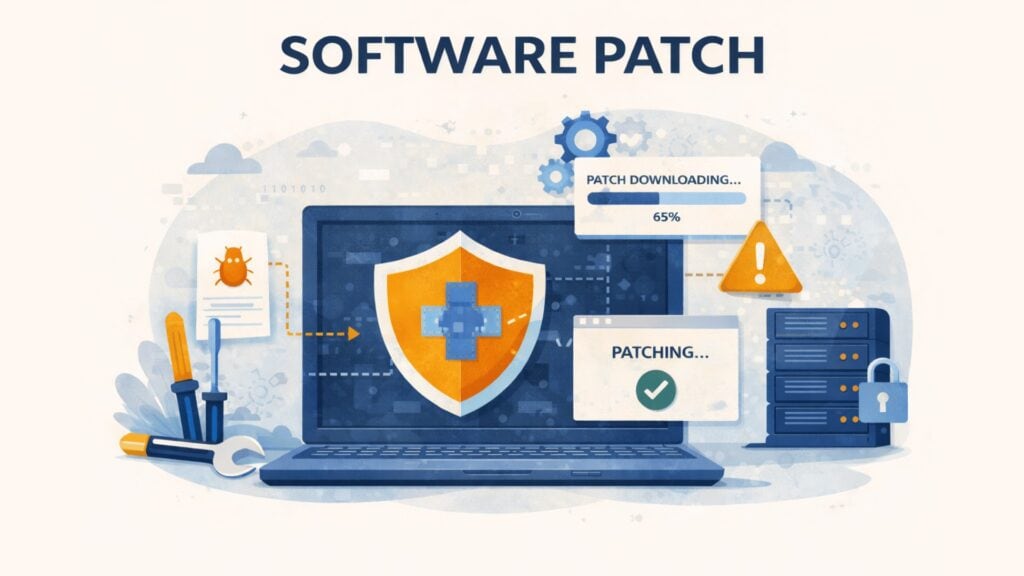
A software patch is one of the simplest ways to reduce cyber risk, but many businesses still treat patching as routine maintenance instead of a core security control. That is a mistake. When a vendor releases a patch, it usually means a known issue now has a known fix. If that fix is delayed, the organization stays exposed longer than necessary.
For website operators, IT managers, and business decision-makers, patching affects more than system hygiene. It influences attack surface, operational stability, compliance readiness, and downtime risk. A missed patch on a web server, CMS plugin, admin console, or third-party dependency can leave a business open to exploitation through a weakness that is already public.
Table of contents
- What Is a Software Patch?
- How Software Patching Works
- Software Patch vs. Update vs. Upgrade vs. Hotfix
- Why Software Patching Matters for Businesses
- Risks and Consequences of Delayed Patching
- Real-World Attack Patterns
- How Businesses Should Approach Patch Management
- Prevention and Mitigation Strategies
- Future Outlook
- Conclusion
- FAQ – Frequently Asked Questions
What Is a Software Patch?
A software patch is a targeted change released to fix a specific problem in software that is already in use. That problem may be a security vulnerability, a bug, a reliability issue, or a compatibility defect.
A patch is usually narrower than a major upgrade. It does not replace the full product or change its main purpose. Instead, it corrects a defined issue in the existing software. In practical terms, a patch may replace files, update libraries, change logic, or adjust how the software handles inputs and permissions.
For businesses, the meaning is simple: patching moves software from a known weak or unstable state to a safer and more reliable one.
How Software Patching Works
Patching starts when a vendor, maintainer, or software team identifies a flaw and publishes a fix. The organization then reviews the patch, tests it where needed, deploys it, and verifies that it installed correctly.
Some patches are small and low-risk. Others affect critical components and need staged rollout. In both cases, the process matters. A patch that is released but not properly deployed does not reduce risk.
From an attacker’s perspective, patching matters because published fixes often signal where weaknesses exist. Once a vulnerability becomes known, automated scanning can begin quickly. Attackers do not always need new techniques. They often rely on already documented issues in software versions that many organizations have not updated yet.
Software Patch vs. Update vs. Upgrade vs. Hotfix
These terms are related, but they are not interchangeable.
A software patch fixes a specific issue. An update is broader and may include several fixes, performance improvements, or minor changes. An upgrade is a larger version change that can affect features, interfaces, or platform requirements. A hotfix is an urgent fix for a critical problem, often released outside the normal release cycle.
This distinction matters for planning. A targeted security patch is often easier to test and deploy than a major upgrade. An upgrade may require retraining, compatibility checks, or downtime planning. A hotfix may need immediate action because the business risk of waiting is higher than the operational risk of change.
Why Software Patching Matters for Businesses
Patching matters because it reduces known risk. Once a vulnerability is disclosed, attackers often start looking for systems that still expose it. This is especially relevant for internet-facing software such as content management systems, plugins, VPN appliances, remote access tools, and admin panels.
Patching also supports business continuity. Not every patch is about security. Many patches fix crashes, memory leaks, performance regressions, or compatibility issues that disrupt daily operations. In practice, patching is both a security measure and a reliability measure.
For leadership teams, patching is also part of governance. Weak software patching discipline can turn a manageable software issue into a reportable security incident, an avoidable outage, or an audit problem. Good patching is not only about applying fixes. It is about having a repeatable process for prioritizing, testing, deploying, and confirming them.
Risks and Consequences of Delayed Patching
The central risk is the window of exposure. That is the period between patch release and actual deployment. During that time, the flaw may already be known to defenders and attackers alike.
History shows how costly that delay can become. WannaCry spread through systems for which a Microsoft patch was already available. Equifax was breached through an unpatched Apache Struts vulnerability. Those incidents still matter because they reflect a common pattern: many organizations are compromised through known weaknesses, not only through unknown zero-days.
For web applications, the problem scales because reconnaissance is automated. Bots can identify outdated software, probe forms and endpoints, and test known exploit paths at speed. Patching closes the underlying flaw. Perimeter controls can reduce automated pressure, but they do not replace the fix itself.
Real-World Attack Patterns
One common pattern starts with version detection. An attacker or bot identifies an exposed service, matches the version to a known issue, and attempts an exploit that is already public. If the system is unpatched, compromise can happen quickly.
Another pattern involves neglected third-party components. An organization updates the operating system but forgets a plugin, library, package or admin tool. Attackers often exploit the weakest maintained component, not the most important one.
A third pattern appears after public advisories. CERT-EU security advisories regularly recommend prompt software patching when critical vulnerabilities are disclosed or exploited in the wild. Once vendors and security teams publish guidance, automated scanning often follows. That is why time to patch matters. The longer a known issue stays open, the easier it becomes to target at scale.
How Businesses Should Approach Patch Management
Patching works best when it follows a clear operational process.
Start with inventory. You cannot patch what you do not know you run. That includes operating systems, web servers, CMS extensions, third-party applications, container images, and dependencies.
Then prioritize. Internet-facing systems, high-impact weaknesses, and business-critical services should come first. Automated patching can help, but risk-based review still matters.
Testing remains important, especially in production-like environments with many integrations. Some patches can break workflows or create compatibility issues. That risk should be managed, not used as a reason to delay everything.
Finally, verify deployment. A patch is only effective if it is actually installed, active, and tracked.
Prevention and Mitigation Strategies
The strongest strategy is layered. Patch management fixes the underlying weakness. Other controls reduce the chance that exposed systems are abused before or during the remediation window.
For public-facing applications, this includes rate limiting, logging, asset discovery, vulnerability scanning, access control, and secure configuration. In web environments, it can also include bot protection on exposed workflows such as login pages, registration forms, and search or contact forms.
This is where CAPTCHA has a limited but useful role. A privacy-focused CAPTCHA does not fix a vulnerable plugin or server. It can, however, help reduce automated probing and abuse against web-facing entry points while the business maintains the software stack. For European organizations, captcha.eu fits this supporting role as a GDPR-compliant control that helps protect forms and login flows without replacing core patch management.
Future Outlook
Patching is becoming more complex because modern software is more distributed. Businesses now manage cloud services, containers, browser-based tools, mobile apps, APIs, third-party libraries, and software supply chain dependencies at the same time.
That is why patch management is moving toward automation, dependency visibility, and stronger change control. Vendors continue to structure release and notification workflows more clearly through resources such as Microsoft’s Security Update Guide, while government and CERT guidance increasingly pushes organizations to update critical systems quickly and test patches in controlled ways.
The direction is clear. Businesses need faster visibility, better prioritization, and stronger execution. Patching is no longer just a maintenance routine. It is part of operational resilience.
Conclusion
A software patch is a targeted fix, but its business impact is broad. It helps close known vulnerabilities, reduce instability, and shorten the window in which attackers can exploit exposed systems.
The best patching programs are disciplined, not reactive. They rely on asset visibility, prioritization, testing, timely deployment, and verification. For public-facing systems, supporting controls can reduce automated abuse while the software stack is maintained. In that model, patch management does the fixing, while privacy-focused controls such as captcha.eu help protect exposed workflows at the edge.
FAQ – Frequently Asked Questions
What is a software patch in simple terms?
A software patch is a targeted fix for software that is already installed. It usually corrects a security flaw, bug, or stability issue.
Why are software patches important?
They reduce known risk. Patches can close vulnerabilities, improve reliability, and lower the chance that attackers exploit already documented weaknesses.
What is the difference between a patch and an update?
A patch is usually narrower and fixes a specific issue. An update is broader and may include several fixes or minor improvements. An upgrade is larger and often changes major functionality.
Can a patch break software?
Yes, sometimes. That is why testing and staged rollout are important, especially for critical systems and integrated environments.
How often should a business apply patches?
Most organizations combine a regular patch cycle with urgent handling for high-risk issues. The right timing depends on exposure, business criticality, and whether the flaw is already being exploited.
100 free requests
You have the opportunity to test and try our product with 100 free requests.
If you have any questions
Contact us
Our support team is available to assist you.




 English
  German
  French
  Spanish
  Dutch
Dutch  Italian