
Every business system creates a trail of events. A user signs in, an admin changes permissions, a record is updated or a file is deleted. If those actions are not recorded in a reliable way, it becomes hard to detect misuse, investigate incidents, or prove accountability. This is especially relevant where organizations must implement appropriate technical and organisational safeguards under GDPR Article 32.
An audit trail helps solve that problem. It creates a chronological record of what happened in a system, who did it, when it happened, and what changed. For website operators, IT managers, and business decision-makers, that record is essential for security, compliance, and operational trust.
Table of contents
- What Is an Audit Trail?
- How an Audit Trail Works
- Why Audit Trails Matter for Businesses
- Real-World Examples and Attack Patterns
- Risks of Poor or Missing Audit Trails
- Best Practices for Building a Strong Audit Trail
- Audit Trail vs. Audit Log vs. Monitoring
- Audit Trails and Compliance
- Where CAPTCHA Fits In
- Future Outlook
- Conclusion
- FAQ – Frequently Asked Questions
What Is an Audit Trail?
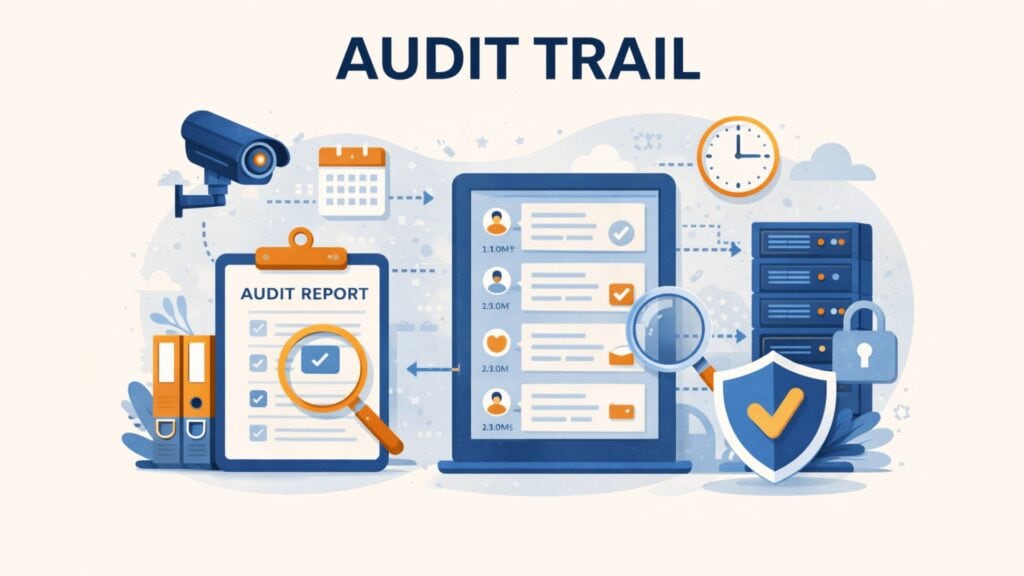
An audit trail is a chronological record of activities, events, and data changes within a system. It shows who performed an action, what happened, when it happened, where the action came from, and whether it succeeded or failed.
In practice, an audit trail helps an organization reconstruct events after the fact. That makes it useful for incident response, internal reviews, forensic investigations, and compliance checks. A strong audit trail is accurate, time-stamped, protected against unauthorized changes, and easy to review.
An audit trail is closely related to an audit log, but the two terms are not always identical. It is usually the raw event record and is the broader sequence of records that lets you trace an action, transaction, or incident from beginning to end.
How an Audit Trail Works
An audit trail works by recording events as they happen. When a user signs in, changes an account setting, exports data, updates a database record, or deletes a file, the system creates a log entry. That entry is usually time-stamped and stored in a central location for review and analysis. Centralized collection and protection of these records aligns with established NIST guidance on computer security log management.
A useful audit trail typically includes the core elements described in NIST AU-3: Content of Audit Records:
- the user or system account involved
- the timestamp
- the action performed
- the source, such as an IP address, device, or application
- the affected asset, record, or service
- the result, such as success or failure
In mature environments, logs from applications, servers, databases, cloud platforms, APIs, and network devices are collected into one protected logging system. That makes it easier to search events, correlate activity across systems, and investigate incidents quickly.
The most effective audit trails are also tamper-evident. This means unauthorized changes to stored records can be detected. That matters because attackers and malicious insiders often try to erase or alter evidence after suspicious activity.
Why Audit Trails Matter for Businesses
Audit trails support three core business needs: security, accountability, and compliance.
From a security perspective, they help teams detect suspicious behavior and reconstruct incidents. Repeated failed sign-ins, unusual privilege changes, large data exports, or access outside normal working hours may all indicate misuse or compromise. Without a reliable audit trail, a business may know that something went wrong but not how it started, what changed, or who was affected.
From an accountability perspective, audit trails help verify decisions and actions. If an employee changes a payment destination, modifies a customer record, or grants admin access, the business should be able to confirm who made the change and when. That is valuable in finance, healthcare, HR, SaaS operations, and customer support.
From a compliance perspective, audit trails help demonstrate control over sensitive systems and data. Regulations and standards do not always mandate one specific log format. But many require traceability, access control, monitoring, and evidence that security measures are in place. Audit trails often support those obligations.
Real-World Examples and Attack Patterns
Audit trails become most valuable when something goes wrong.
Unauthorized access to a privileged account
An admin account signs in from an unusual location at 03:14 and exports a large set of customer records. The audit trail shows the login time, source IP, account used, affected systems, and follow-up actions. That gives the security team a starting point for containment and investigation.
Database record tampering
A finance record is changed without approval. The bank account on an invoice is updated, then changed again a few hours later. A proper audit trail shows who edited the record, what field changed, and whether the action came through the application, an API, or a back-end admin tool.
Insider misuse before departure
A departing employee downloads a large volume of internal files or customer data shortly before leaving the company. A user activity trail can reveal abnormal access patterns, unusually large exports, and access outside normal working hours.
Privilege escalation followed by log deletion attempts
An attacker gains access to a low-level account, elevates privileges, then attempts to disable logging or remove evidence. If audit records are centralized and tamper-evident, those actions are harder to hide and easier to investigate.
API token abuse in a SaaS environment
A leaked API credential is used to query sensitive records at high speed. Application logs alone may show traffic, but a proper audit trail helps connect the token, source, request pattern, and affected resources into one traceable chain.
Risks of Poor or Missing Audit Trails
Weak audit trails create both technical and business risk.
First, they slow down incident response. If logs are incomplete, inconsistent, or spread across different systems, teams struggle to rebuild the timeline of an incident. That delays containment and increases recovery costs.
Second, they reduce trust in the evidence. If the same users who are being monitored can edit or delete records, the logs lose investigative value. This is a major problem in insider threat cases and forensic reviews.
Third, they create blind spots. Some organizations log only sign-ins and failures but ignore permission changes, data exports, API misuse, configuration changes, or admin actions. That leaves important parts of the attack chain invisible.
Fourth, they can create compliance problems. If a business cannot demonstrate how critical actions were recorded, reviewed, and protected, internal audits and external assessments become much harder.
Best Practices for Building a Strong Audit Trail
A strong audit trail starts with selecting the right events to record. Logging everything without structure creates noise. Logging too little creates dangerous gaps. High-value events usually include authentication, privilege changes, configuration updates, record deletion, sensitive data access, failed security checks, and unusual export activity.
Centralization is essential. Logs should be collected in one protected system so teams can search and correlate events across platforms. This improves visibility and reduces the risk of losing evidence from a compromised machine.
Integrity protection matters just as much as collection. Audit records should be protected with restricted access, separation of duties, encryption in transit and at rest, and tamper-evident storage controls.
Retention should match business and regulatory needs. Some records are kept mainly for operations. Others may need to be retained longer for investigations, audits, or sector-specific requirements. The right retention period depends on risk, industry, and legal obligations.
Regular review is critical. Audit trails only deliver value when the right people can detect high-risk actions, investigate anomalies, and respond in time.
Audit Trail vs. Audit Log vs. Monitoring
These terms are related, but they are not interchangeable.
Logging is the technical process of recording events.
An audit log is the stored record of those events.
An audit trail is the structured and traceable history created from those records.
Monitoring is the process of reviewing logs and other signals to detect suspicious activity or operational issues.
This distinction matters in practice. Some organizations generate logs but do not keep them in a usable form. Others store logs but rarely review them. Effective security requires all three: recording events, preserving them properly, and analyzing them when it matters.
Audit Trails and Compliance
Audit trails are closely linked to compliance because many legal and industry frameworks require traceability, access control, monitoring, or evidence of system activity.
For example, organizations that process sensitive personal data must be able to protect systems and demonstrate appropriate safeguards. In many cases, audit trails help support that objective by documenting access, changes, and security-relevant actions. In regulated sectors such as healthcare and finance, auditable records are also important for internal controls, investigations, and accountability.
That does not mean every regulation explicitly requires the same kind of audit trail or the same retention period. Requirements vary by sector, risk profile, and system design. Still, from a practical standpoint, audit trails are one of the most effective ways to support accountability and prove that controls exist.
Where CAPTCHA Fits In
CAPTCHA does not replace an audit trail. It supports the systems around it.
One common problem for public-facing websites is automated abuse. Bots can trigger repeated login attempts, fake registrations, scripted form submissions, and other low-value or malicious actions. Even when those attacks fail, they can flood systems with misleading events and make genuine threats harder to spot.
A CAPTCHA layer helps reduce that noise by filtering automated traffic before it reaches sensitive workflows. That can improve the quality of downstream logs and make reviews more efficient.
For European organizations, provider choice also matters. A privacy-focused CAPTCHA solution such as captcha.eu can help reduce automated abuse while aligning with GDPR-focused data protection expectations. In that context, CAPTCHA acts as a preventive control, while the audit trail remains the record of what happened.
Future Outlook
Audit trails are becoming more important as IT environments become more distributed. Businesses now rely on cloud platforms, SaaS tools, APIs, remote devices, and third-party integrations. That increases both event volume and attack surface.
The challenge is no longer just collecting data. It is collecting the right data, protecting it, and making it usable during an incident. This is why automation, correlation, and anomaly detection are becoming more important in logging and monitoring programs.
At the same time, customer, partner, and regulatory expectations are rising. Organizations are increasingly expected to show evidence of control, not just claim that controls exist. A well-designed audit trail helps meet that expectation with facts.
Conclusion
An audit trail is more than a technical record. It is a practical business control that supports security, accountability, compliance, and incident response. Without it, teams are forced to rely on assumptions instead of evidence.
For most organizations, the best approach is layered. A strong audit trail records meaningful actions and preserves them in a trustworthy way. Preventive controls then reduce malicious or low-value activity before it reaches critical systems. In web environments, that can include access controls, rate limiting and privacy-focused CAPTCHA protection from providers such as captcha.eu.
FAQ – Frequently Asked Questions
What is an audit trail in simple terms?
An audit trail is a time-ordered record of actions in a system. It shows who did what, when it happened, and what changed.
What is the difference between an audit trail and an audit log?
An audit log is usually the raw record of events. An audit trail is the broader sequence of records that allows someone to trace an activity or incident from start to finish.
Why is an audit trail important for security?
It helps detect suspicious behavior, investigate incidents, confirm accountability, and understand how a security event unfolded.
What should an audit trail include?
At minimum, it should include the user or system identity, timestamp, action taken, source, affected asset or record, and result. High-value systems may also log before-and-after values for important changes.
Are audit trails required for compliance?
Often, organizations are required to maintain traceability, monitoring, or evidence of control. The exact requirement depends on the law, standard, and industry involved.
100 free requests
You have the opportunity to test and try our product with 100 free requests.
If you have any questions
Contact us
Our support team is available to assist you.




 English
  German
  French
  Spanish
  Dutch
Dutch  Italian