
Discover the power of captcha for Adobe Commerce and Magento 2: Effectively safeguard your logins, contact forms and more against spam, bots and cybercrime without compromising on user experience. No cookies, no tracking – fully GDPR-compliant.
Unlike reCAPTCHA, captcha.eu transfers no data to the US, sets no cookies, and requires no consent banner anywhere in your store. Adobe Commerce and Magento 2 power thousands of online shops across Europe, from mid-market retailers to enterprise catalogues. For all of them, GDPR compliance is mandatory and checkout experience is critical. At the same time, Magento stores are a prime target for automated attacks: carding, where stolen card details are tested at checkout; fake account registrations; and form spam that pollutes analytics and drives up support costs. captcha.eu protects exactly those entry points, login, registration, password reset, newsletter signup and checkout forms, running invisibly in the background with no puzzles and no friction for legitimate customers. It is hosted entirely in Austria, processes no data outside the EU, sets no cookies, and holds WACA Silver certification from TÜV Austria for independently verified WCAG 2.2 AA accessibility compliance.
How to add a captcha to Adobe Commerce and Magento 2
Effectively protect logins, contact forms and more across your site against unwanted traffic and spam with the captcha.eu plugin. Sleek, powerful and easy to integrate, our captcha solution lets you add an extra layer of security in an instant – and put an end to box-ticking and puzzle-solving. Here’s how to set up the captcha plugin for Adobe Commerce or Magento 2:
1
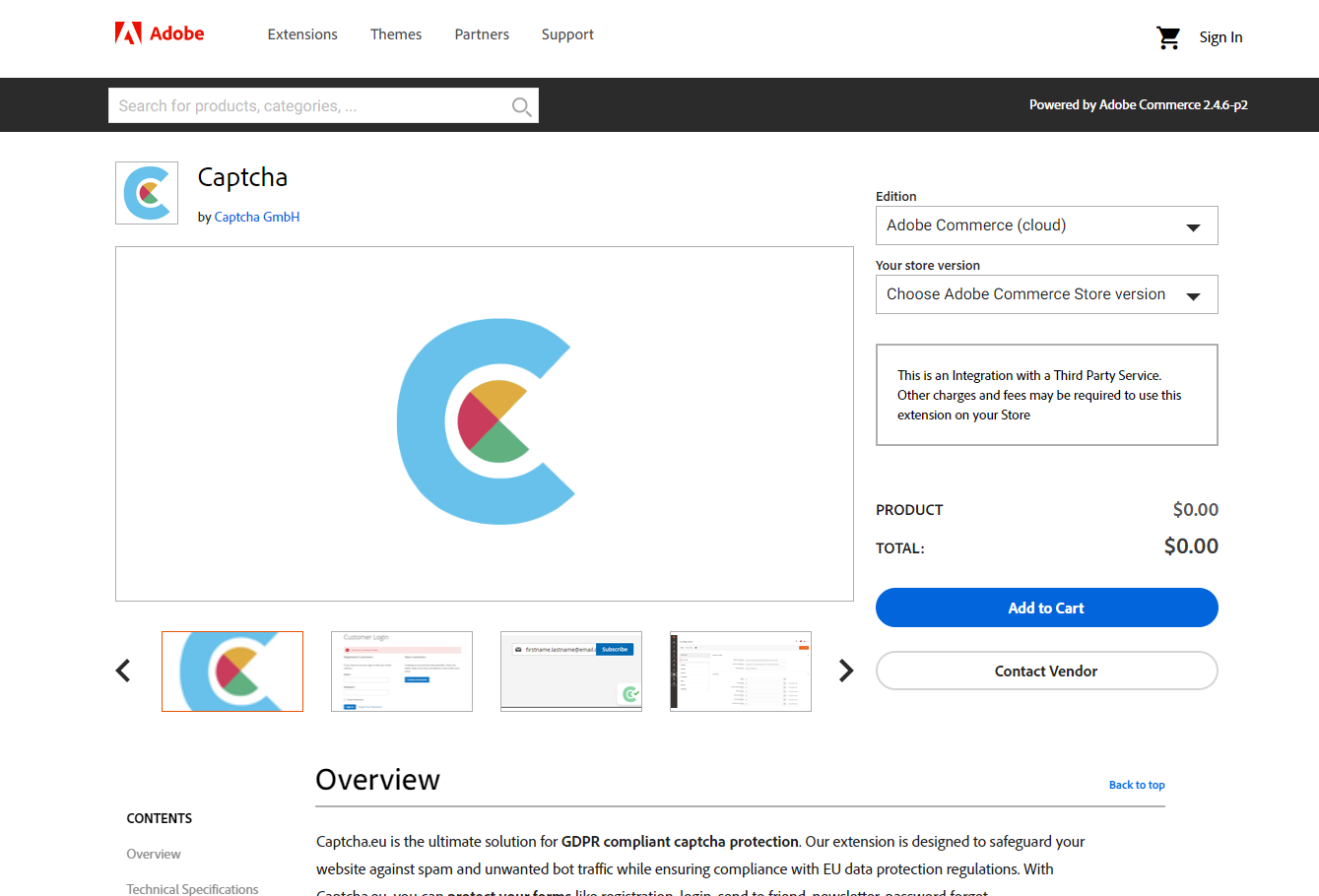
First, download the plugin from Commerce Marketplace. If you’re setting up captcha.eu for Adobe Commerce, you can skip to Step 4.
2
To install the plugin for Magento, you will need to use Composer (which you can download here). Make sure your access keys are set up accordingly as Composer will use these credentials to connect and download the extension from Commerce Marketplace. Then go to your SSH Console / Shell and install the extension from inside the /magento folder. Note: Captcha.eu requires Magento 2.X.
composer require captcha-eu/magento3
After installing, execute the following commands to update your setup and access the plugin via the Magento 2 backend:
php bin/magento setup:upgrade;
php bin/magento setup:di:compile;
php bin/magento setup:static-content:deploy -f;
php bin/magento cache:clean;
php bin/magento cache:flush;
4
Install the extension via Composer (which you can download here), using the following snippet:
composer require captcha-eu/magento:1.0.0 --no-update5
Check the module status and set the required parameters (enable/disable).
# enable
bin/magento module:enable CaptchaEU_Captcha

# disable
bin/magento module:disable CaptchaEU_Captcha
6
Next, you will need to create a Captcha.eu-Account. Then log in and go to “domains” in your dashboard to add the domain you want to protect. This will generate a REST Key and Public Key. Then navigate back to your Adobe Commerce or Magento 2 admin interface. By the way: Your first 100 validations are completely free!
7
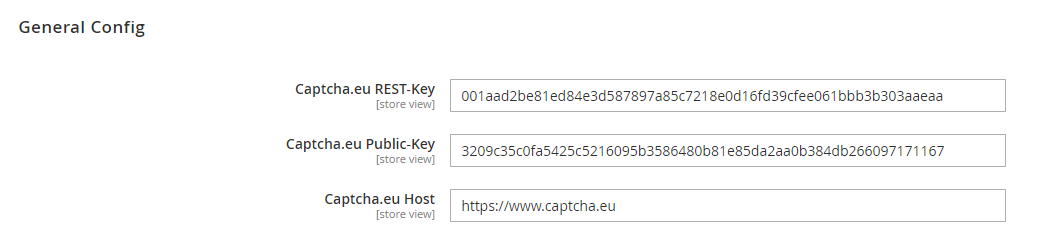
Go to Stores > Configuration > Captcha.eu in the Adobe Commerce or Magento 2 interface to activate the plugin. To do this, copy the REST and Public Key from your captcha.eu dashboard and paste them into the relevant fields in the “General Config” settings.
8
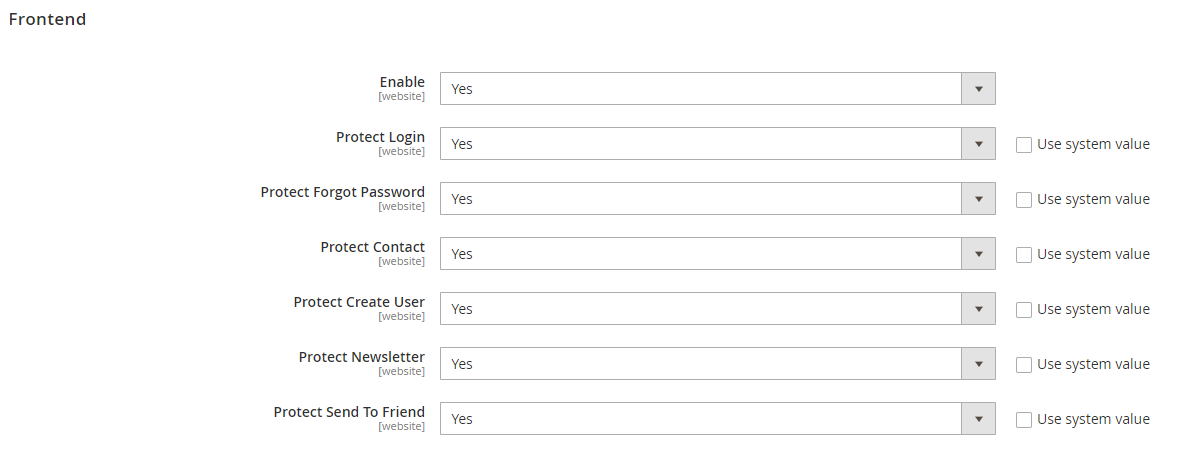
Choose which areas of your site you want to protect using captcha.eu. This includes protection for all your logins and forms, including registration, newsletter sign-ups, password forget and more.
That’s it! Your Adobe Commerce/Magento 2 site is now protected with the Captcha.eu plugin. If you’re encountering any issues along the way or have specific questions regarding the installation process, our detailed documentation is here to help. Or simply reach out to us directly for extra guidance and support – either via our contact form or online chat function.
From logins to newsletter sign-ups and contact forms: Our powerful, easy to integrate captcha.eu plugin is the ultimate captcha solution to protect your Adobe Commerce or Magento 2 site against unwanted traffic and spam – while putting customers first by eliminating puzzle-solving and box ticking. And best of all: It’s fully compliant with EU data protection regulations. No cookies, no tracking. Download the captcha plugin for Adobe Commerce or Magento 2 now!
 English
  German
  French
  Spanish
  Dutch
Dutch  Italian